CC Power Connect is an internal web app for C.C. Power, an electrical contracting company. It replaced paper timesheets and spreadsheets with one system for submitting, approving and exporting crew time. It also gave fleet managers one place to track vehicles, equipment, inspections and repair orders.
Field crews use it on their phones. Office staff and admins use it on desktop.
I owned the fleet management side of the frontend. I also worked on the time entry system, mostly crew time editing and pay ID fixes.
The problem
Crew managers filled in paper timesheets or shared spreadsheets, and someone then re-typed them into the accounting system. Equipment inspections and repair orders lived in a separate system or weren't tracked digitally at all.
Field crews needed something that worked on a phone. Office staff needed sortable tables, filters and CSV exports on desktop.
What I built
Fleet management
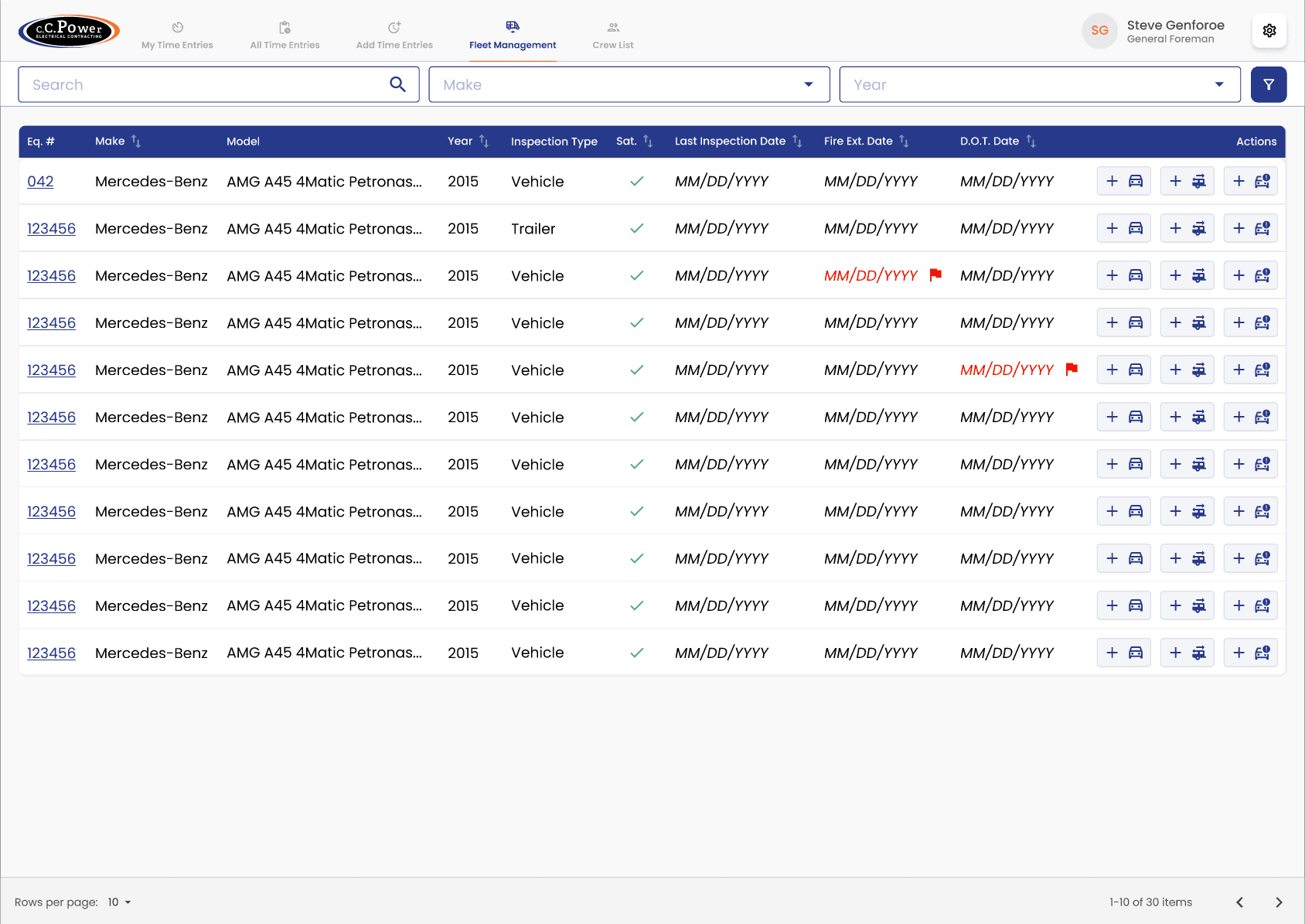
The equipment list, and a details page with tabs for cost codes, inspections and repair orders. On desktop that's a full table with sorting and filters. On mobile I built separate card-based views instead of squeezing the table onto a small screen.
I also built the modals for editing equipment details, like fire extinguisher and DOT inspection dates, and added permission checks so only the right roles can see cost totals or create repair orders.
Pre-trip inspections
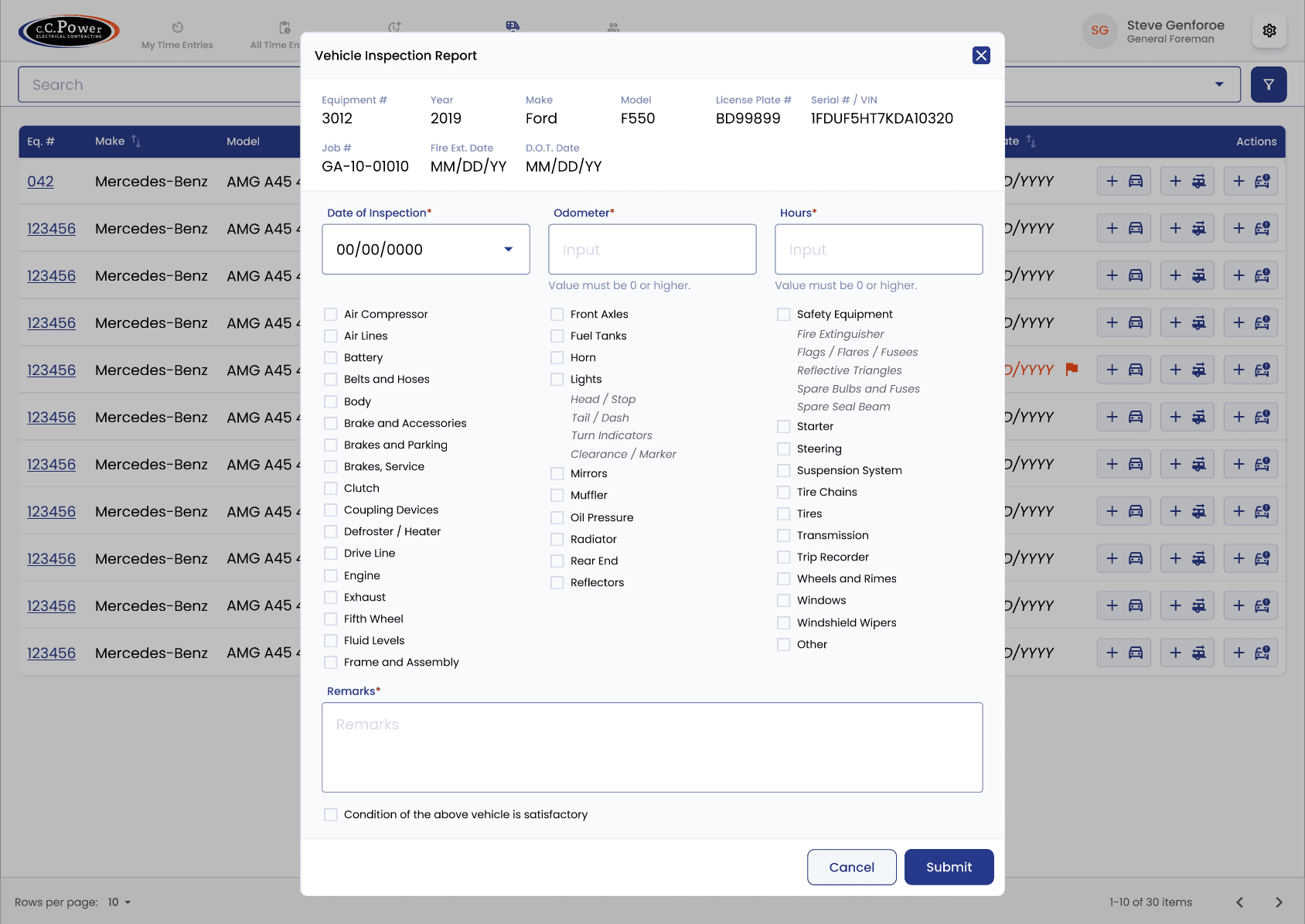
Vehicle and trailer inspection forms, including the form state, validation and submission. A driver can fill one in without logging in.
Repair orders
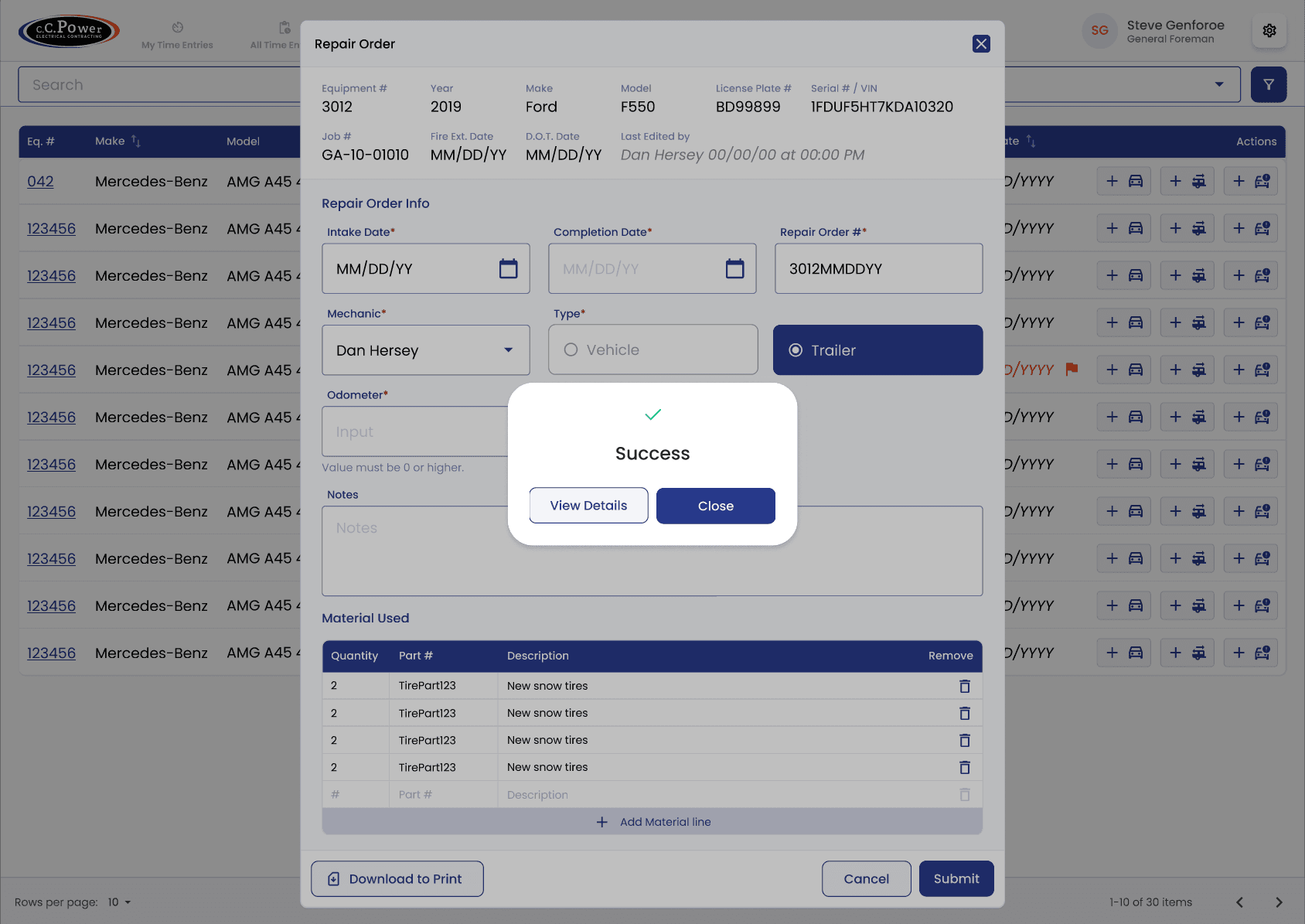
The add and edit repair order pages, with a list of materials used and a Download to Print button. It generates the PDF in the browser with jsPDF, including the company logo.
Crew time editing
A form that lets a foreman or manager update time entries for a whole crew at once. I also fixed duplicate pay IDs showing up in time entry rows and added per diem columns to time cards.
How it's built
Vue 3 with the Quasar component library, Pinia for state and the Directus SDK for API calls. Directus sits in front of PostgreSQL, and a sync job pulls reference data from Sage 300 CRE. It all runs in Docker on AWS ECS, with Terraform managing the infrastructure.
A few patterns the team followed that shaped how I built the fleet module:
- Logic in composables, thin components. Each form has a composable, such as
useRepairOrderForm, that holds the state, validation and submit logic. Validation rules sit in a.validations.tsfile next to it. The template only binds to it, so the logic can be tested with Vitest without rendering anything. - Small shared building blocks. Typography, inputs and layout pieces live in a shared library, and pages are built from them. The team kept components under 100 lines where possible, and never over 300.
- Load reference data once. Employees, equipment, jobs, pay IDs, cost codes and crews load into one Pinia store at login. Each part is only fetched if it isn't already cached, and the store is saved to
localStorage, so a refresh doesn't fetch everything again. - One wrapper around the API. Every call goes through a small wrapper around the Directus SDK, with one service file per collection on top. The SDK could be swapped without touching the feature code.
- Colours from Figma. Brand colours are SCSS variables, each with six opacity steps and a comment pointing to the Figma node it came from. Components use colour names, not hex values.
- Role-based access. One
checkPermissionfunction decides what each role can see and do. Managers can do everything a foreman can, and admins can do everything. The router, the navigation and individual templates all use it.
My role
I was the main developer on fleet management: the equipment list, details page, cost codes, inspections, repair orders, mobile views and the permissions around them. I also worked on time entry features, mainly crew time editing and display fixes. Other people on the team built most of the time entry system, the approval workflow, the Sage integration and the backend.
Where it is now
Live and in active use by the company's field crews.